

keyboard icon white

How to Clean and Disinfect Keyboards in Clinical Areas

What the evidence and UK guidance say about cleaning keyboards in hospitals, clinics, dental surgeries and labs, with a step-by-step routine and the sealed keyboards that cope with it.
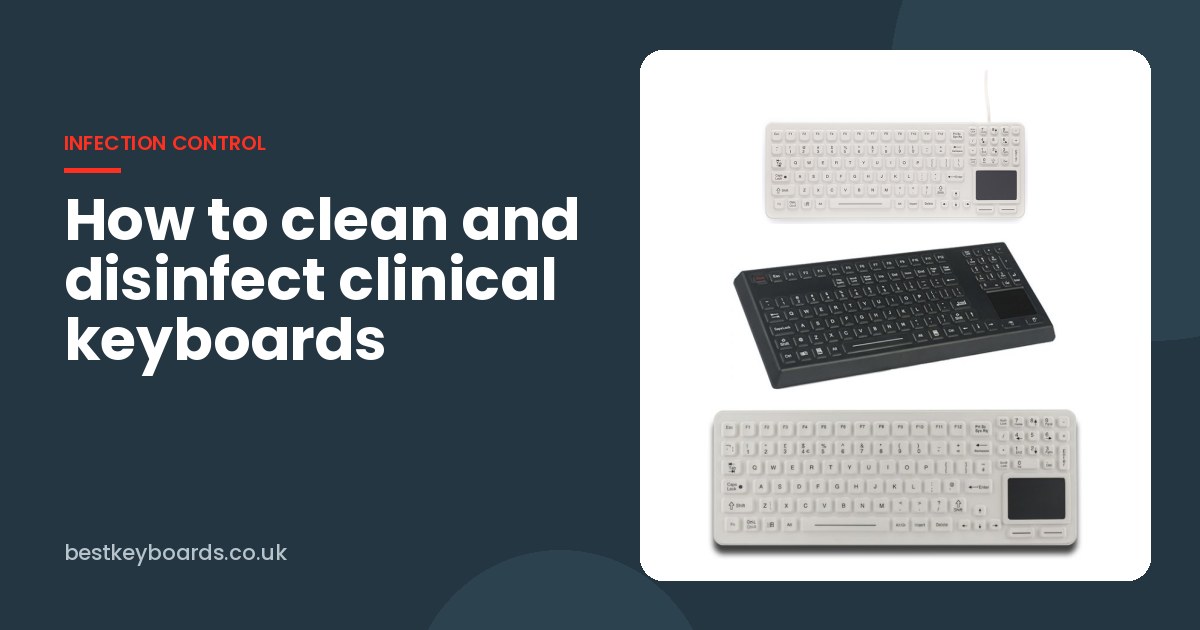
iKey SK-97-TP, SLK-97-TP and RUGGED RKB-M390 sealed medical keyboards

Keyboards are one of the most handled objects in any clinical area, and one of the least thought about. A ward computer might be used by a dozen nurses, a couple of doctors, a pharmacist and a porter in a single shift. A dental surgery keyboard gets touched between almost every patient. In a lab, it sits a few inches from samples and reagents all day.

Most people agree these keyboards should be cleaned. Far fewer are sure how, with what, or how often. This guide pulls together what the evidence and guidance actually say, and adds some practical advice from our side of things: what happens to keyboards when they are cleaned properly, day in, day out.

One important point before we start. Your organisation's infection prevention and control (IPC) policy and the keyboard manufacturer's instructions always come first. Nothing here replaces them.

Why keyboards matter for infection control

The concern is not theoretical. In a study of 100 keyboards across 29 clinical areas of a US teaching hospital, 95% grew at least one microorganism, mostly skin organisms such as staphylococcus, but also enterococci including a vancomycin-resistant strain.

A separate study led by Northwestern Memorial Hospital in Chicago looked at how long bacteria survive and how easily they move to fingers. Researchers found that MRSA and VRE survived up to 24 hours on keyboards, and that MRSA was transferred to fingertips in up to 92% of contacts once contact with the contaminated keyboard increased.

Neither study means keyboards are uniquely dangerous. They are simply a shared touch point, used by people who go on to touch patients. That puts them in the same category as bed rails, drip stands and blood pressure cuffs, and they deserve the same attention.

What the guidance says

UK guidance does not usually name keyboards specifically. They fall under reusable, non-invasive care equipment. The National Infection Prevention and Control Manual for Scotland (Appendix 7), which NHS England's manual is based on, sets out the general approach:

  • Routine cleaning with general purpose detergent and water, or detergent impregnated wipes, when equipment is not contaminated with blood or body fluids and is not used by a patient with a known or suspected infection.
  • Blood contamination calls for a disinfectant at 1,000 parts per million available chlorine (or a combined detergent and chlorine product at the same strength).
  • Urine, vomit, faeces or known or suspected infection calls for a stronger combined solution at 10,000 ppm available chlorine.
  • The manual also says to check the manufacturer's instructions for suitability of cleaning products, especially for electronic equipment.

That last point is the one that catches people out. Plenty of keyboards are not designed to survive chlorine, alcohol or regular wetting at all.

On frequency, local policies vary. As one example, Western Health's guide to cleaning computers in clinical areas ties frequency to risk: shared equipment in high-risk areas such as ICU and theatres is cleaned between patients, while low-risk office areas may only need weekly cleaning or cleaning when visibly soiled. It also stresses hand hygiene before and after using a computer, which matters just as much as wiping the keyboard.

Why ordinary keyboards do not cope

We see this all the time. A standard office keyboard is fine for a few months on a ward, and then the cleaning starts to take its toll:

  • Liquid runs between the keys and into the electronics, causing stuck or dead keys.
  • Printed legends wear off under repeated wiping, so the keys go blank.
  • Gaps around the keycaps collect dirt that a wipe cannot reach.
  • Some plastics craze or discolour when exposed to strong disinfectants.

The result is predictable. Staff learn that cleaning the keyboard breaks it, so they stop cleaning it. Keyboard covers are a common workaround, but iKey makes the point that non-sealed keyboards create opportunities to trap dirt and contaminants, and it recommends washable, sealed silicone keyboards over covers. We agree. A cover is one more thing to clean, and it tends to get lifted, torn or simply removed.

What makes a keyboard easy to clean

If you are choosing keyboards for clinical areas, look for these features:

  • A fully sealed surface. Silicone, glass and sealed membrane keyboards have no gaps for liquid or debris to get into.
  • A recognised ingress rating. NEMA 4X, IP65, IP67 or IP68, depending on how wet the cleaning gets.
  • Stated disinfectant compatibility. The manufacturer should say which agents the keyboard tolerates.
  • A built-in pointing device. A sealed touchpad removes the separate mouse, which is another surface to clean.
  • A clean or lock key. This disables the keyboard while it is wiped, so you do not end up typing into a patient record.

Keyboards we recommend for clinical areas

  • The iKey SK-97-TP is fully sealed, has an integrated touchpad, and is described by iKey as compatible with all hospital and dental approved disinfectants. Its higher-profile keys give a more tactile feel than flat medical keyboards.
  • The iKey SLK-97-TP is the same idea with red LED backlighting, which helps on night shifts and in darkened rooms.
  • The iKey SLK-102-TP-FL and SLK-101-FL use a sealed silicone keypad with low-profile keys and are compatible with germicidal sprays and wipes, making them suitable for theatres and patient rooms.
  • The RUGGED RKB-M390TP-KP-FN-DT is an IP68 silicone hygienic keyboard with an antimicrobial coating and a dedicated CLEAN key that locks the keyboard while you wipe it.
  • The RUGGED B45 is an IP67 medical grade glass keyboard. A flat glass surface is about as easy to wipe as it gets, and it works over USB, 2.4GHz wireless or Bluetooth.

How to clean a clinical keyboard, step by step

This is a sensible general routine for a sealed keyboard. Adjust it to your IPC policy and the manufacturer's instructions.

  1. Clean your hands first. Then put on gloves if your policy or the level of contamination calls for them.
  2. Lock or disable the keyboard. Use the clean or lock key if it has one, or lock the computer screen. This stops stray keystrokes going into a live record.
  3. Remove visible dirt. Wipe off anything visible with a detergent wipe before disinfecting. Disinfectants work poorly on dirty surfaces.
  4. Use the right product. Detergent wipes for routine cleaning; a chlorine-releasing or combined product at the strength your policy sets if there is blood, body fluid or known infection. Check the keyboard is rated for it.
  5. Wipe, do not flood. Work from the cleanest area to the dirtiest, top row to bottom, and do not forget the touchpad, the edges and the cable near the keyboard.
  6. Respect the contact time. Leave the surface wet for as long as the product says. This is the step most often skipped.
  7. Rinse and dry if required. Some chlorine products need rinsing, then drying with a disposable cloth.
  8. Unlock, remove gloves and clean your hands again.

Who does it, and how often?

This is where things fall through the gaps. Domestic staff often assume keyboards belong to clinical staff, clinical staff assume they belong to domestics, and IT assume it has nothing to do with them. The simplest fix is to name a responsible role in your cleaning schedule and decide the frequency by risk: between patients in theatres, ICU and dental surgeries, at least daily on busy wards, and whenever visibly soiled anywhere.

Then choose keyboards that make it easy. If cleaning takes ten seconds and does no harm, it gets done.

Talk to us about clinical keyboards

If you are replacing keyboards on a ward, in a dental practice or in a lab, send us the details and we will put a quote together. We usually reply within 24 hours, and we can supply cleaning compatibility information for your IPC team. You can also browse our healthcare and medical keyboards and our washable and sealed keyboards.

Thank you

Thank you for taking the time to read our post about How to Clean and Disinfect Keyboards in Clinical Areas. We truly appreciate your interest in our content! bestkeyboards.co.uk strives to be the ultimate destination for anyone seeking comprehensive information on computer keyboards. If you found this blog post, How to Clean and Disinfect Keyboards in Clinical Areas enjoyable and informative, we would be grateful if you could leave a comment below and share it with your friends and colleagues. Your feedback and support mean a great deal to us and are what drive us to continue producing high-quality content for you. Please don't hesitate to reach out to us with any questions, comments, or suggestions for future blog topics. We truly value your input and love hearing from our readers.