

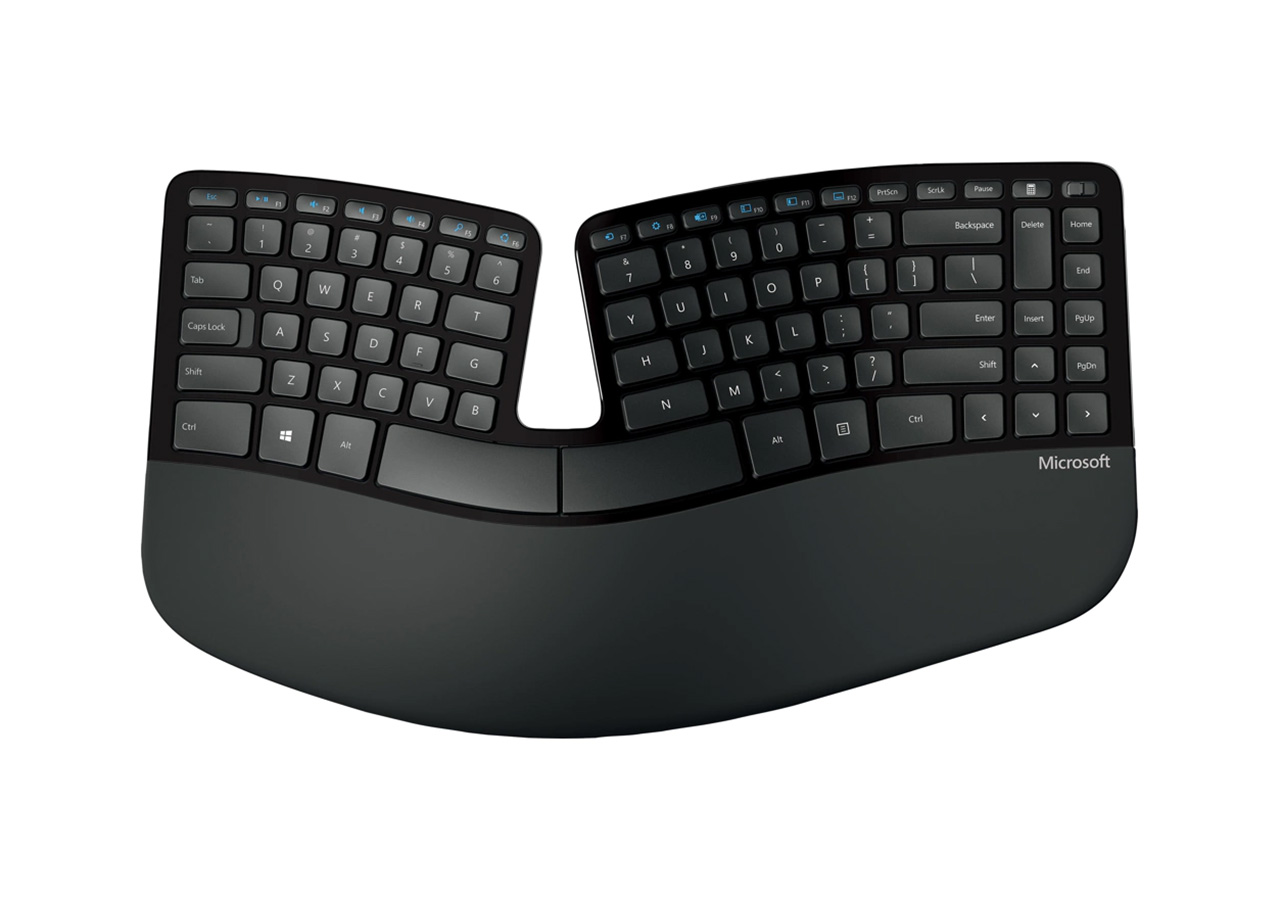
Ergonomic Keyboards

Ergonomic keyboards are an excellent investment for anyone who spends a lot of time typing. They provide a more comfortable and natural typing experience, reducing the risk of injury and improving productivity.

Comfort and Productivity Combined

If you spend a lot of time typing, you know how important it is to have a comfortable keyboard. Traditional keyboards can cause strain and discomfort in your hands, wrists, and arms, leading to pain and even injury. Ergonomic keyboards are designed to address these issues, providing a more comfortable and productive typing experience. In this article, we'll explore the benefits of ergonomic keyboards and what to look for when choosing one.

What are Ergonomic Keyboards?

Ergonomic keyboards are designed with the user's comfort in mind. They're designed to promote a more natural and comfortable typing position, reducing strain and stress on the hands, wrists, and arms. Ergonomic keyboards come in a variety of shapes and styles, from split keyboards to curved keyboards to tented keyboards.

Advantages of Ergonomic Keyboards

The most significant advantage of ergonomic keyboards is improved comfort. By providing a more natural typing position, ergonomic keyboards can help reduce the risk of repetitive strain injuries, such as carpal tunnel syndrome. They can also help reduce fatigue and discomfort, allowing you to type for longer periods without experiencing pain or discomfort.

In addition to improved comfort, ergonomic keyboards can also improve productivity. By reducing strain and discomfort, you can type faster and with greater accuracy, leading to improved efficiency and performance. This can be especially beneficial for people who spend a lot of time typing, such as writers, editors, and data entry specialists.

Types of Ergonomic Keyboards

There are several types of ergonomic keyboards available, each with its own unique features and advantages. Some of the most common types include:

  1. Split Keyboards - Split keyboards are designed to be split in the middle, allowing you to type with your hands in a more natural and comfortable position. They're ideal for people who have experienced strain or discomfort when using traditional keyboards.
  2. Curved Keyboards - Curved keyboards feature a curved design that conforms to the natural shape of your hands, reducing strain and discomfort. They're ideal for people who prefer a more traditional keyboard layout but want the benefits of ergonomic design.
  3. Tented Keyboards - Tented keyboards feature a raised center section that allows you to type with your hands at a more natural angle. They're ideal for people who experience discomfort in their wrists or forearms.

Features to Consider

When choosing an ergonomic keyboard, there are several features to consider. Some of the most important features include:

  1. Split Design - If you choose a split keyboard, look for a design that allows you to adjust the angle and distance between the two halves. This will allow you to customize the keyboard to your individual needs.
  2. Curved Design - If you choose a curved keyboard, look for a design that conforms to the natural shape of your hands. This will help reduce strain and discomfort, allowing you to type for longer periods.
  3. Tented Design - If you choose a tented keyboard, look for a design that allows you to adjust the angle of the center section. This will allow you to find the most comfortable typing position for your wrists and forearms.
  4. Wrist Rest - Many ergonomic keyboards come with a built-in wrist rest. Look for a wrist rest that is comfortable and supportive, and that can be adjusted to the height that works best for you.
  5. Programmable Keys - Some ergonomic keyboards feature programmable keys that can be customized to perform specific functions or macros. This can be especially beneficial for people who spend a lot of time typing and want to improve their efficiency.

Popular Options

Some popular ergonomic keyboard options include:
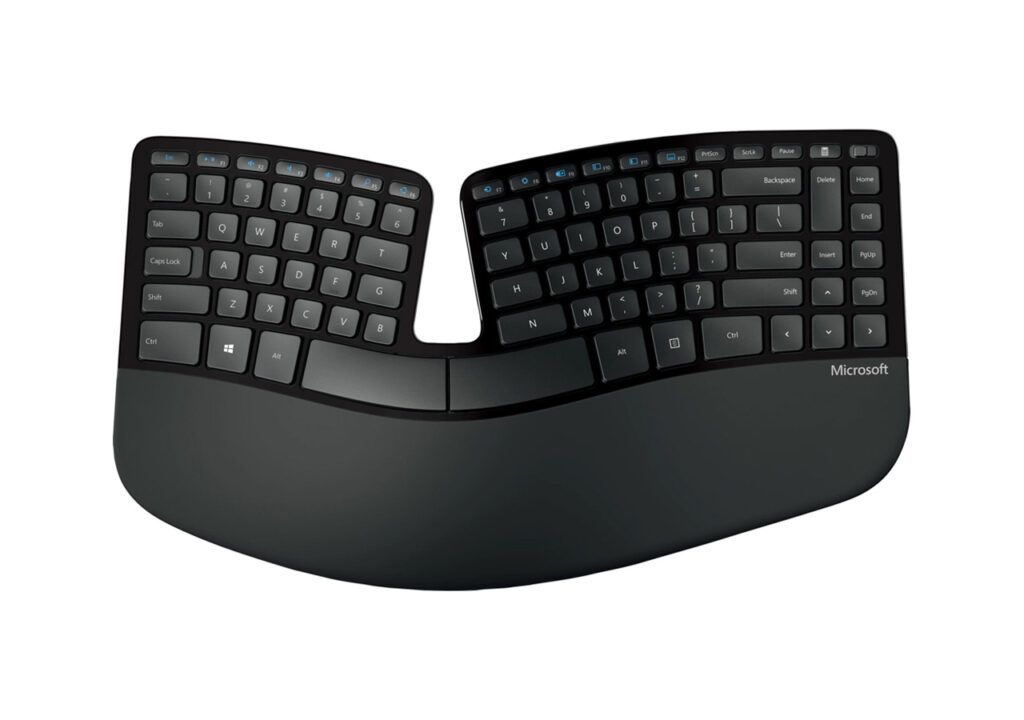
Microsoft Sculpt Ergonomic Keyboard
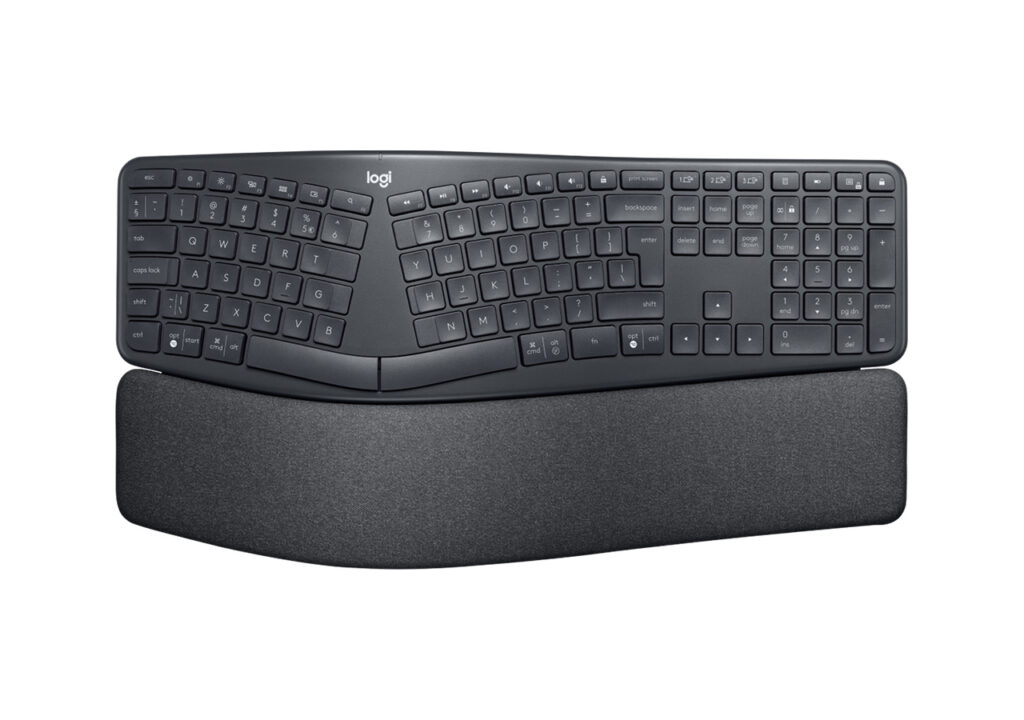
Logitech Ergo K860
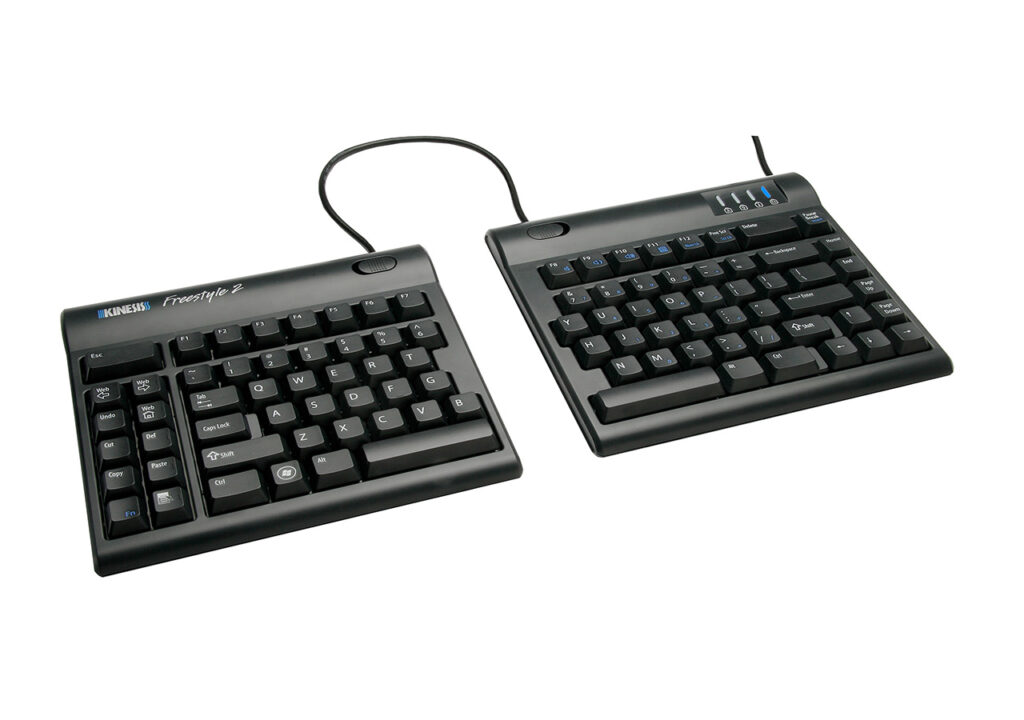
Kinesis Freestyle2

The Microsoft Sculpt features a split design with a cushioned palm rest, while the Logitech Ergo K860 has a curved design and adjustable palm rest. The Kinesis Freestyle2 features a split design that can be separated up to 20 inches and comes with a choice of tenting accessories.

Conclusion

Ergonomic keyboards are an essential tool for anyone who spends a lot of time typing. By providing a more natural and comfortable typing position, ergonomic keyboards can help reduce the risk of strain and injury, while also improving productivity and efficiency. When choosing an ergonomic keyboard, consider the different types available and the features that will best meet your individual needs. With the right ergonomic keyboard, you can enjoy a comfortable and productive typing experience for years to come.

Thank you

Thank you for taking the time to read our post about Ergonomic Keyboards. We truly appreciate your interest in our content! bestkeyboards.co.uk strives to be the ultimate destination for anyone seeking comprehensive information on computer keyboards. If you found this blog post, Ergonomic Keyboards enjoyable and informative, we would be grateful if you could leave a comment below and share it with your friends and colleagues. Your feedback and support mean a great deal to us and are what drive us to continue producing high-quality content for you. Please don't hesitate to reach out to us with any questions, comments, or suggestions for future blog topics. We truly value your input and love hearing from our readers.

Leave a Reply

Your email address will not be published. Required fields are marked *

linkedin facebook pinterest youtube rss twitter instagram facebook-blank rss-blank linkedin-blank pinterest youtube twitter instagram