Introduction:
Cherry Switches are a type of mechanical keyboard switch that has gained a lot of popularity among gamers, programmers, and typing enthusiasts. These switches offer a satisfying tactile and audible feedback, which makes typing more enjoyable and comfortable. In this article, we will explore the different types of Cherry Switches and their characteristics, along with their pros and cons.
What are Cherry Switches?
Cherry Switches are a type of mechanical keyboard switch that was introduced by a German company called Cherry GmbH in the 1980s. These switches are designed to provide a tactile feedback that gives a typist a sense of the switch's actuation point. Cherry Switches are known for their quality and durability, and they are widely used in various applications, including computer keyboards, industrial control panels, and medical equipment.
Types of Cherry Switches:
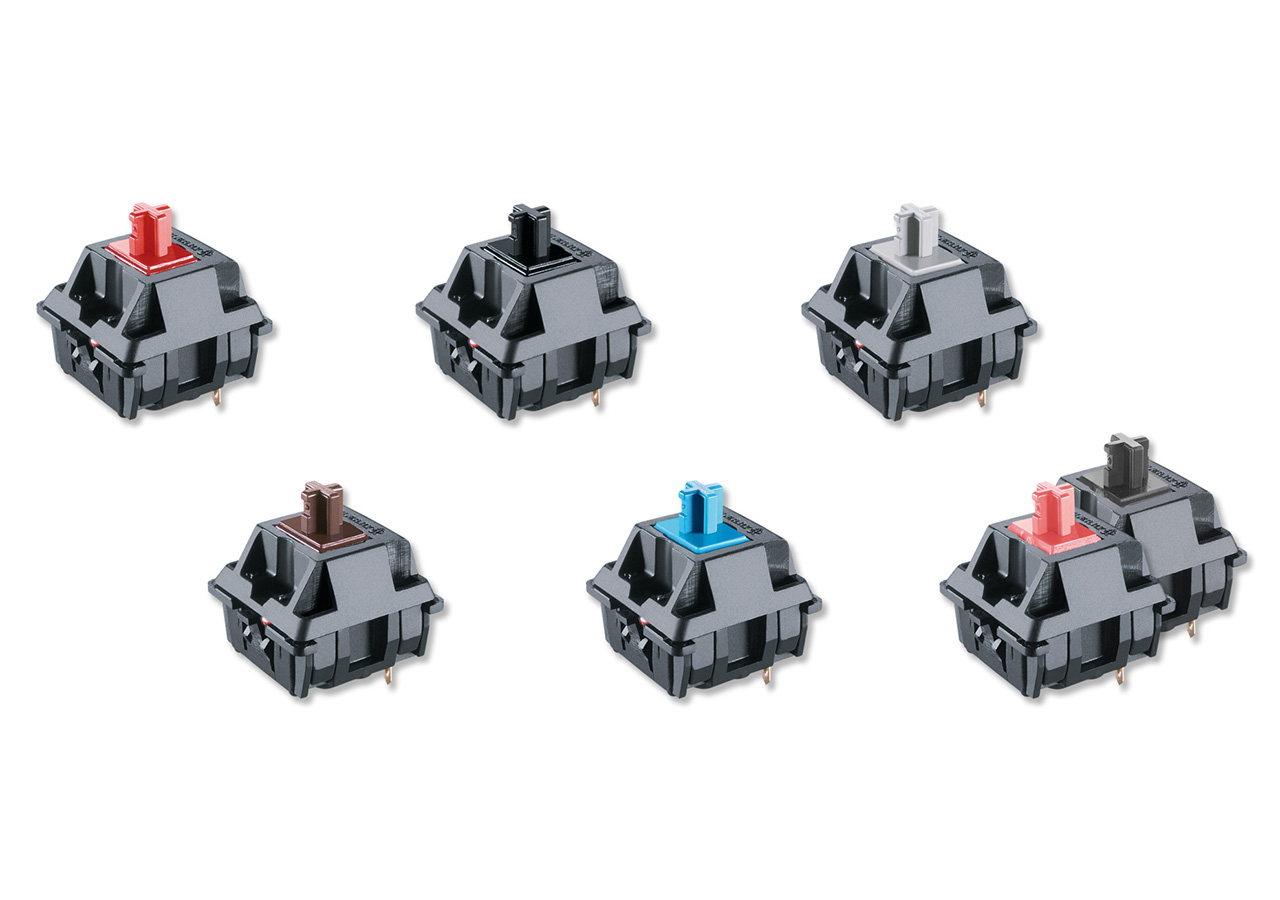
There are several types of Cherry Switches, each with its own characteristics. The most common types of Cherry Switches are the following:
- Cherry MX Black: This switch has a linear action and requires a relatively high actuation force of 60g. It doesn't have a tactile feedback or a click sound, which makes it a preferred choice for gamers who require fast and accurate keystrokes.
- Cherry MX Brown: This switch has a tactile bump that provides a slight resistance when typing, which gives the typist a sense of the actuation point. It requires an actuation force of 45g, and it's quieter than other Cherry Switches, which makes it a popular choice for programmers and office workers.
- Cherry MX Blue: This switch has a tactile bump and a distinct click sound that provides a satisfying feedback when typing. It requires an actuation force of 50g, and it's popular among typists who enjoy the audible feedback that this switch provides.
- Cherry MX Red: This switch has a linear action and a low actuation force of 45g. It doesn't have a tactile feedback or a click sound, which makes it a preferred choice for gamers who require fast and effortless keystrokes.
- Cherry MX Ultra Low Profile Tactile: This switch features a tactile feedback similar to the Cherry MX Brown. With an actuation force of 65 cN, a pre-travel distance of 0.8 mm, and a total travel distance of 1.8 mm, it's a suitable choice for notebooks and other applications where fast reactions and reliable inputs in limited spaces are crucial. Unlike other Cherry Switches, the MX Ultra Low Profile Tactile does not have a click sound.
Pros and Cons of Cherry Switches:
Like any product, Cherry Switches have their pros and cons. Some of the advantages of Cherry Switches are:
- Tactile feedback: Cherry Switches provide a tactile feedback that makes typing more enjoyable and comfortable.
- Durability: Cherry Switches are designed to last for a long time, which makes them a reliable choice for various applications.
- Customizability: Cherry Switches are available in various types and colors, which makes them a popular choice among keyboard enthusiasts who want to customize their keyboard.
On the other hand, some of the disadvantages of Cherry Switches are:
- Noise: Some Cherry Switches, such as the Cherry MX Blue, are loud, which might not be suitable for shared workspaces or quiet environments.
- Price: Cherry Switches are more expensive than other types of switches, which might not be a feasible option for some users.
- Learning Curve: Cherry Switches require a learning curve for typists who are used to using membrane keyboards or scissor switches.
Cherry Switches are a popular choice among gamers, programmers, and typing enthusiasts. They provide a satisfying tactile and audible feedback that makes typing more enjoyable and comfortable. There are several types of Cherry Switches, each with its own characteristics, and they have their pros and cons. Ultimately, the choice of Cherry Switch depends on the user's preference and the intended use of the keyboard.